An AI assistant on every webpage.
Select text on any site and ask GPT, Claude, Gemini, DeepSeek or Grok to explain, summarize, rewrite or translate it — in a panel beside the page.
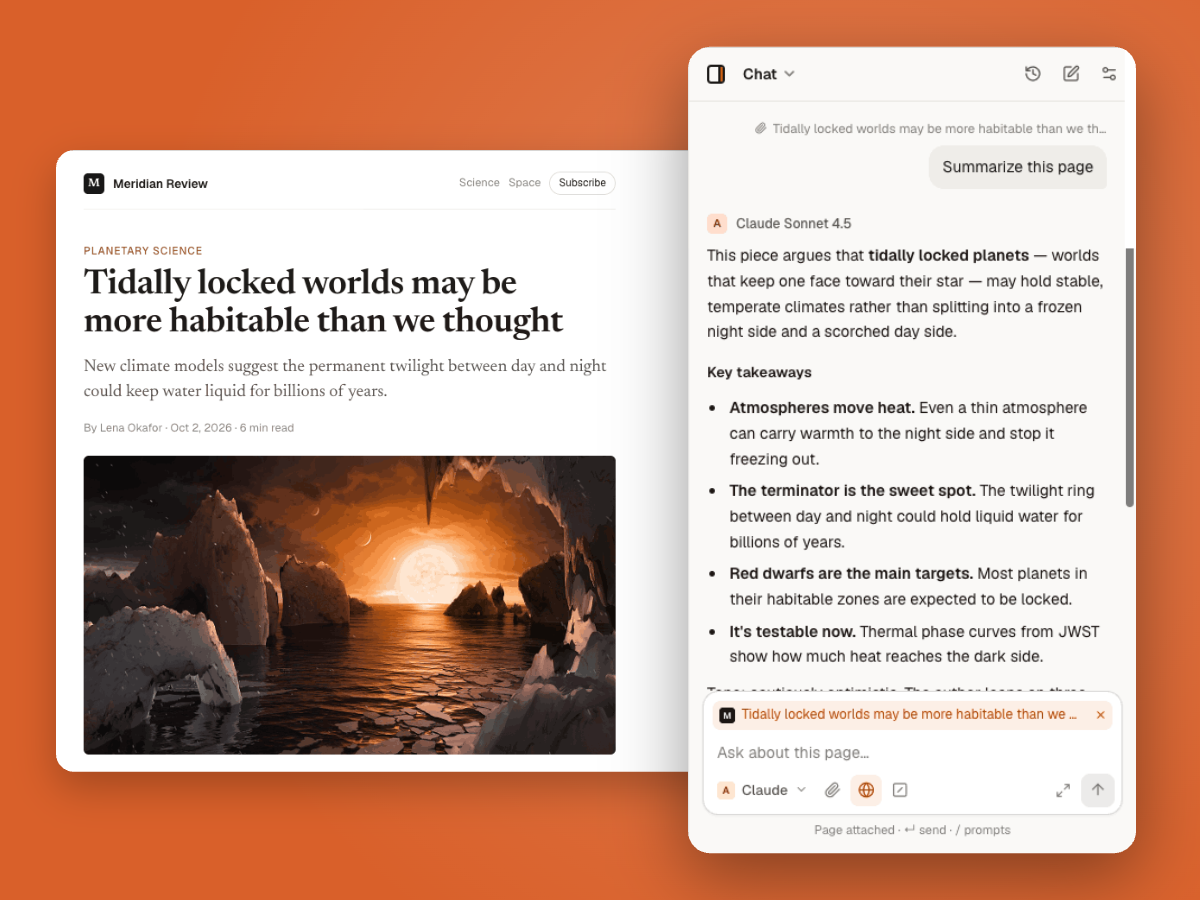
How to use AI on any webpage
- 1
Open any page
An article, docs page, email or forum thread. Press Alt+O (⌥O on Mac) to open the panel.
- 2
Select or attach
Highlight a passage for the toolbar, or keep the whole page attached as context.
- 3
Ask your model
Pick a model and ask. Follow up without losing your place on the page.
Why people use it instead of a chat tab
No copy-paste
The page is already attached. Ask about it directly.
Stay in context
The answer sits beside the source, so checking it takes a glance.
Right model for the job
Use a fast model for quick questions and a stronger one for hard ones.
Questions
It works on most sites. Pages that block extensions, such as the Chrome Web Store and browser settings, can’t be read.
Yes. Add other open tabs as context and ask across them.
Yes. Select text in a text field and choose Rewrite to get an edited version you can insert.
Only when you send a message with the page attached. You can turn this off.
More ways to use Thinkbeside
Put an AI beside every page you read.
Free to install. Works with the API keys you already have.