Ask GPT, Claude, Gemini and more at once.
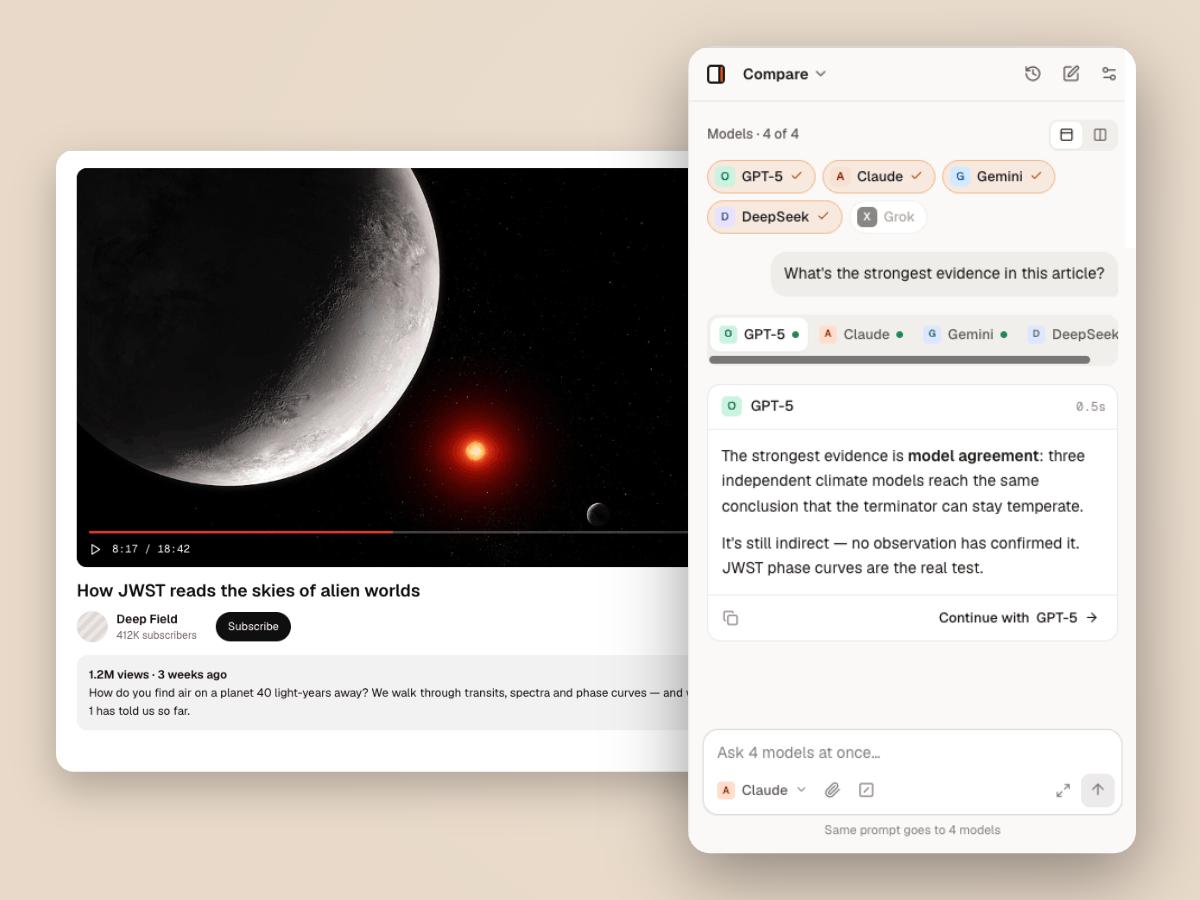
Send one prompt to up to four AI providers and read their answers side by side. Then continue the conversation with the one you trust most.
Free, with your own API key. How pricing works · How your keys and data are handled
How to compare AI models
- 1
Open Compare
Switch the panel to Compare and pick up to four providers you have keys for.
- 2
Ask once
Write one prompt. It goes to every selected model in parallel, with the page attached if you like.
- 3
Pick and continue
Read the answers side by side, then choose Continue with to carry on with that model.
Why ask more than one model
Catch mistakes
When models disagree, that’s the claim to check. When they agree, you can move faster.
Find the best fit
See which model writes, codes or reasons best for your task before you commit to it.
One place, five providers
OpenAI, Anthropic, Google, DeepSeek and xAI in one panel, with no tab juggling.
Questions
How many models can I compare at once?
Up to four, each from a different provider you have connected.
Does comparing cost more?
Each model bills its own tokens to its provider, so a four-way comparison costs roughly what four separate questions would.
Can I compare models about the page I’m on?
Yes. Attach the page, a PDF or a video and every model gets the same context.
Can I keep chatting after comparing?
Yes. Choose Continue with on any answer to carry the conversation on with that model.
More ways to use Thinkbeside
Stop guessing which model is best. Ask them all.
Free to install. Works with the API keys you already have.